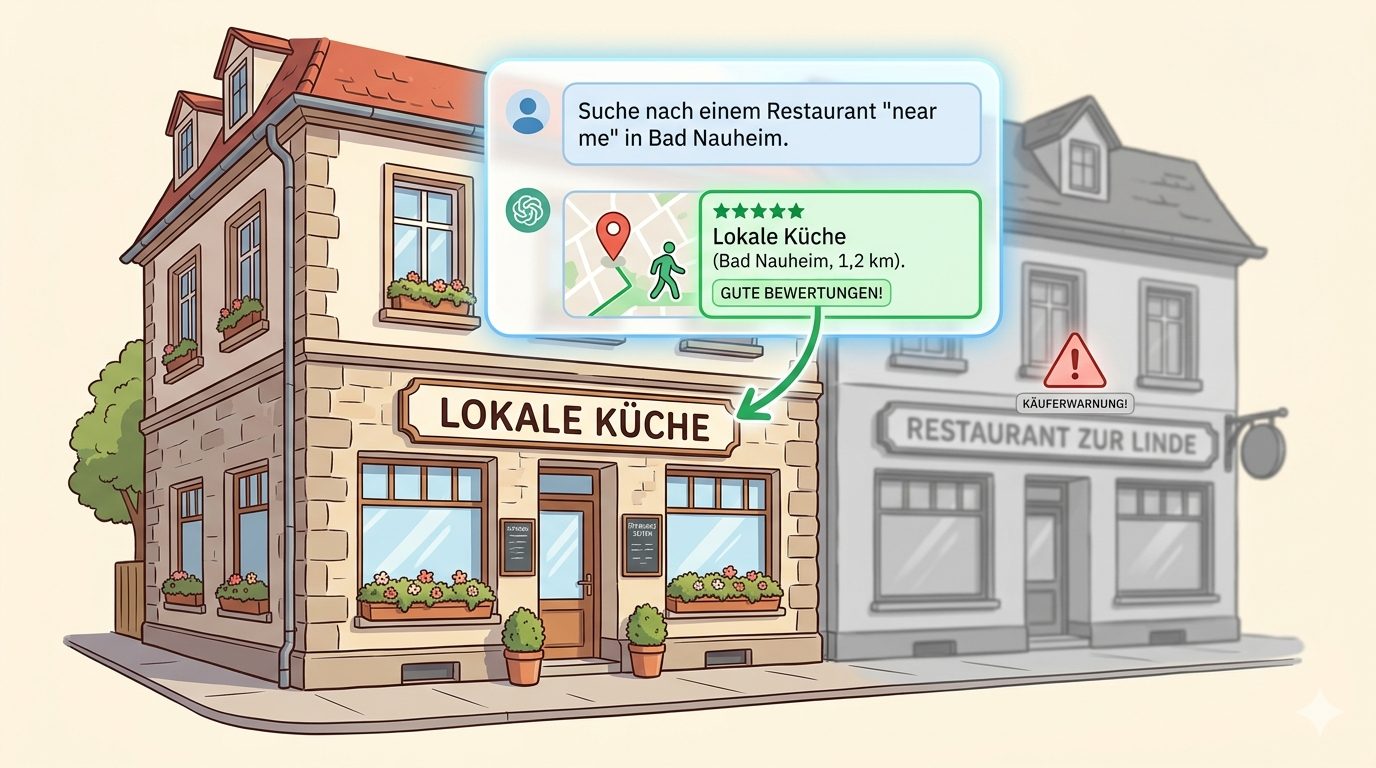
Is Your Local Business Invisible to AI? Here's What's Happening (And How to Fix It)
Google AI Overviews now appear in 40% of local business searches. AI doesn't rank by distance — it ranks by data completeness. Here's what that means for your business.
Direct Answer
Google AI Overviews now appear in 40% of local business searches, and ChatGPT answers "near me" queries without opening Google at all. AI doesn't rank local businesses by distance — it ranks them by data completeness. A business with complete structured data, accurate hours, and recent reviews will beat a closer competitor that lacks this information.
Quick Takeaways
- AI Overviews appear in 40% of local business searches as of 2025 — up from near zero in 2023
- AI doesn't rank local results by distance — it ranks by data completeness and relevance
- Restaurant AI Overview appearances grew 387% in a single month in March 2025
- 48% of local-intent searches lead to a business profile interaction within 24 hours
- Businesses cited in AI Overviews get 35% more organic clicks than businesses that aren't
Something Changed in Local Search — Most Business Owners Haven't Noticed
When someone searches for a restaurant, dentist, or plumber in 2026, Google often answers the question before showing a list of results.
That answer — called an AI Overview — sits at the very top of the page. It names specific businesses. It quotes their hours, ratings, and what they're known for. Then the user either calls directly from the AI answer or clicks through to the business it recommended.
The businesses Google doesn't name? They might as well not exist for that search.
This is the new local search reality. And the rules are completely different from what most business owners learned about Google rankings.
What Most Local Businesses Get Wrong About AI Search
They think proximity is still the main ranking factor. It isn't.
Traditional Google Maps rankings heavily favor businesses closest to the searcher. AI Overviews work differently. Local Falcon's 2025 analysis of 60,000 queries found effectively zero correlation between distance and ranking position inside Google AI Overviews. (Source: Local Falcon, May 2025)
What AI actually uses to choose which businesses to name:
- Data completeness — does Google know your hours, services, price range, and attributes?
- Review signals — how many recent, specific reviews do you have?
- Relevance to the query — does your profile match what the person actually asked for?
- Consistency — does your website, Google profile, and third-party listings all say the same thing?
How Big Is This, Really?
AI Overviews now appear in 40% of all local business searches. (Source: Local Falcon, April 2025)
That's not a niche trend. That's nearly half of all the searches that could send someone to your door.
Here's what accelerated the shift. In March 2025, Google rolled out a major algorithm update. In a two-week period:
- Restaurant AI Overview appearances grew 387% (Source: BrightEdge, 2025)
- Travel business AI Overview appearances grew 381%
- Entertainment query appearances grew 528%
 ---
---
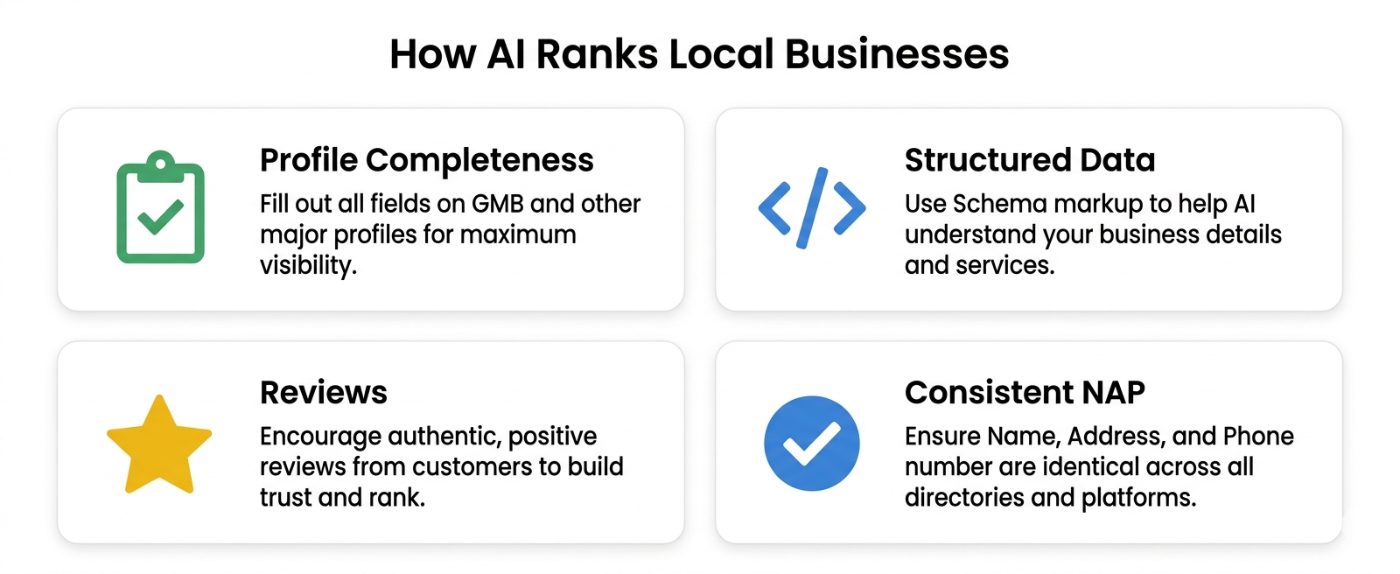
The 4 Signals AI Uses to Rank Local Businesses.
Signal 1: Your Google Business Profile Completeness
An incomplete profile doesn't just rank lower — it often gets skipped entirely.
AI Overviews pull directly from your Google Business Profile (GBP). If your profile is missing your service list, business description, attributes (outdoor seating, parking, accepts cards), or operating hours for holidays — the AI either doesn't include you or includes inaccurate information.
Inaccurate information is worse than no information. If AI tells someone you're open when you're not, they show up, find you closed, and leave a bad review.
Fill in every single field in your GBP. Not most of them — all of them.
Signal 2: Structured Data on Your Website
AI doesn't just read your Google profile — it cross-checks your website.
This is where most local businesses fall short. Adding LocalBusiness schema markup to your website tells AI systems exactly what your business is, where it is, what it does, and when it's open — in a format machines can read without guessing.
For a restaurant, this includes:
- Business name, address, phone (matching your Google profile exactly)
- Cuisine type and price range
- Opening hours for each day
- Accepted payment methods
- Menu URL
AggregateRatingfrom your reviews
Signal 3: Recent Reviews With Specific Language
68% of AI citations come from third-party sources, not the business's own website. (Source: Erlin AI, 2026)
Reviews are one of those third-party sources. And it's not just about having high ratings — it's about what your reviews say.
If someone asks ChatGPT or Perplexity for "a quiet café with fast wifi for working in Frankfurt", the AI will scan reviews for phrases like "great wifi", "quiet atmosphere", and "good for working". Businesses whose customers used that language in reviews get cited. Businesses without it don't.
You can't fake this — but you can encourage customers to write specific, descriptive reviews instead of just leaving 5 stars with no text.
Signal 4: Consistent Information Everywhere
AI cross-checks your name, address, and phone number across Google, your website, social profiles, and review platforms.
Inconsistencies are a hard trust signal. If your Google profile says you open at 9am but your website says 10am, AI won't know which to trust — so it either cites you with a caveat or picks a competitor it's more confident about.
Run a quick audit: Google your business name and check that every listing says the same thing.
The 30-Minute Fix for Most Local Businesses
You don't need a developer. You don't need an agency. This is a one-afternoon job.
1. Audit your Google Business Profile (10 minutes) Log into your profile. Fill in: business description, all services, attributes, hours for every day including holidays, a link to your menu or services page, and at least 10 recent photos.
2. Add LocalBusiness schema to your website (15 minutes with a plugin) If your site is on WordPress, install the free Yoast SEO plugin — it generates basic LocalBusiness schema automatically. If you're on Squarespace or Wix, use Schema Pro. For a custom site, paste this into your homepage's section and fill in your details:
json
{
  "@context": "https://schema.org",
  "@type": "Restaurant",
  "name": "Your Business Name",
  "address": {
    "@type": "PostalAddress",
    "streetAddress": "123 Main Street",
    "addressLocality": "Frankfurt",
    "addressRegion": "Hessen",
    "postalCode": "60311",
    "addressCountry": "DE"
  },
  "telephone": "+49-69-XXXXXXX",
  "openingHours": ["Mo-Fr 09:00-18:00", "Sa 10:00-16:00"],
  "url": "https://yourbusiness.com",
  "priceRange": "€€"
}
Replace Restaurant with your business type: DentalClinic, LegalService, HairSalon, Gym, Plumber, etc.
3. Check for inconsistencies (5 minutes) Google your business name. Look at every result on the first page. Anywhere your address, phone, or hours look different from your Google profile — fix it.
What to Do Now
- Fill in your entire Google Business Profile this week — not just the basics. Every attribute, every service, every photo.
- Add LocalBusiness JSON-LD to your homepage — use a plugin or paste the code directly.
- Ask your next 5 customers to write a specific review — not just stars, but a sentence or two describing what they used you for.
- Search for your business type + your city in ChatGPT and Perplexity — see what comes up. That's the list you want to be on.
- Check for inconsistencies in your NAP (name, address, phone) across all platforms.
The ones that wait will keep losing ground to a competitor down the street who spent one afternoon on this.
Maria Fe Fischer
AgentReady